Aerial Progress Viewer for Austhorpe Lane Bridge
A lightweight browser-based visual record combining 3D model, orthophoto, DSM and Google Earth before/after context. Built to show how repeatable drone capture can support site clarity, stakeholder communication and monthly progress review without sending large folders of separate files.

Monthly Progress Record
This viewer can stay on the same URL for the life of the works. Each new capture can be added as a month tab, allowing the project team to click between current updates and previous records without needing new links, large downloads or specialist software.
What this gives the project team
The value is not only the drone capture. It is the ability to package the capture into a single low-friction viewer that can be opened by project managers, site teams, commercial teams and stakeholders on any device.
Repeat capture creates a clear record of visible change across the bridge works and surrounding site area.
The lightweight viewer opens quickly in a browser, while supporting technical files remain available as downloads.
Useful for explaining access, work zones, demolition/reconstruction progress, surrounding constraints and programme context.
The same URL can build into a month-by-month record through to later stages of the bridge reconstruction.
Interactive 3D Bridge Model
The 3D model gives a quick visual understanding of the bridge location, surrounding context, site footprint and current condition. It is useful for people who need to understand the site without opening CAD, GIS or specialist survey software.
Orthophoto and DSM Slider
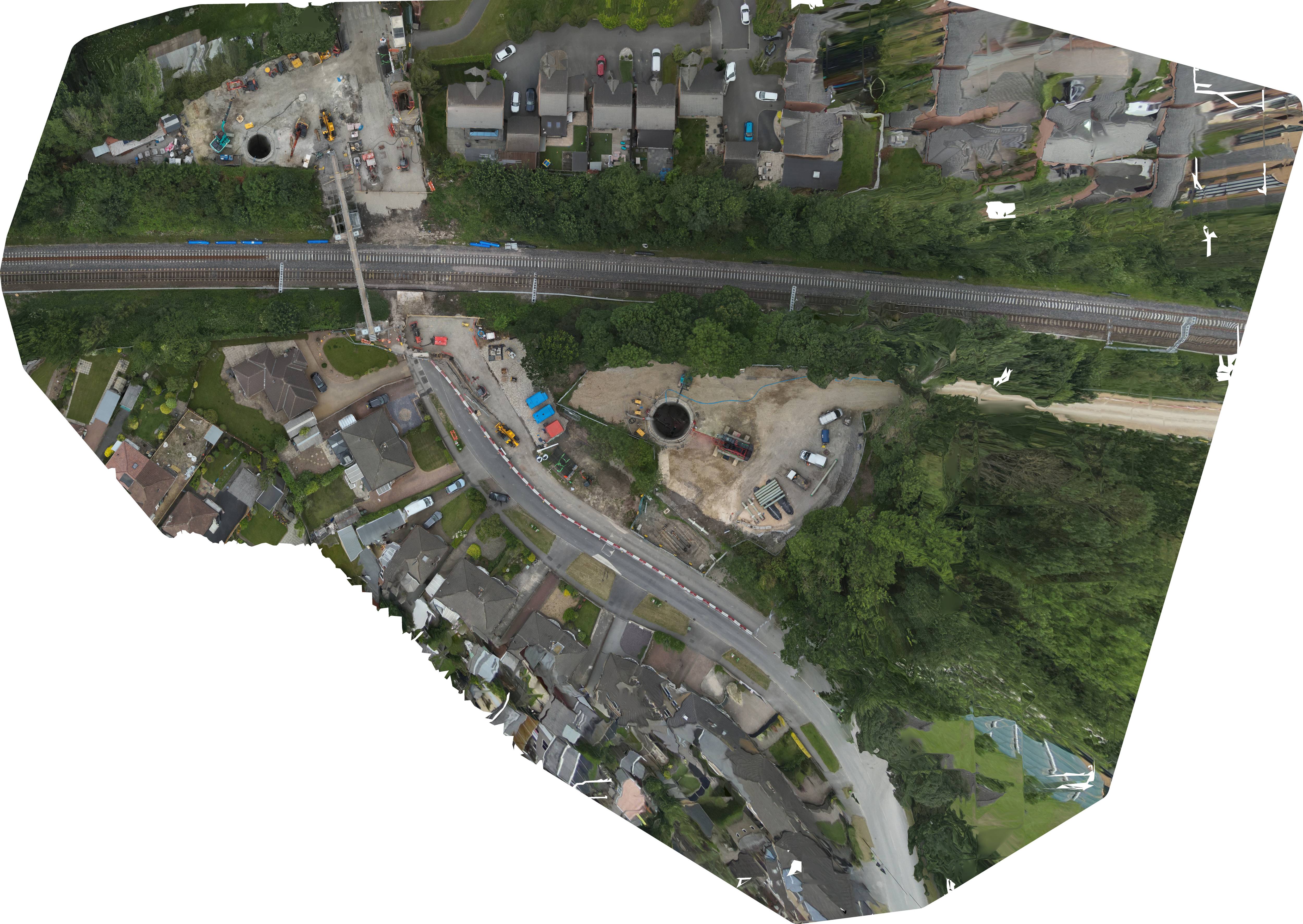
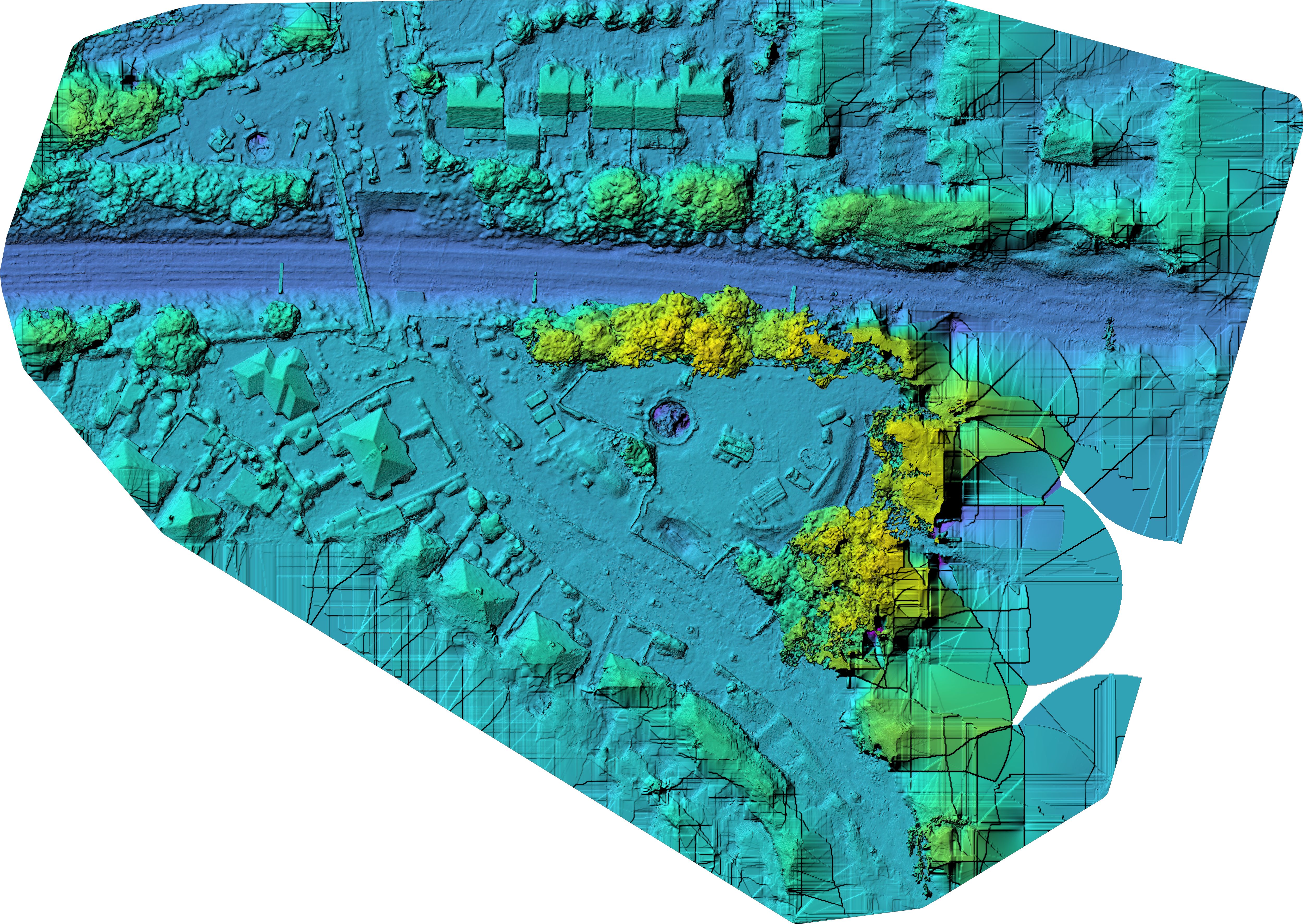
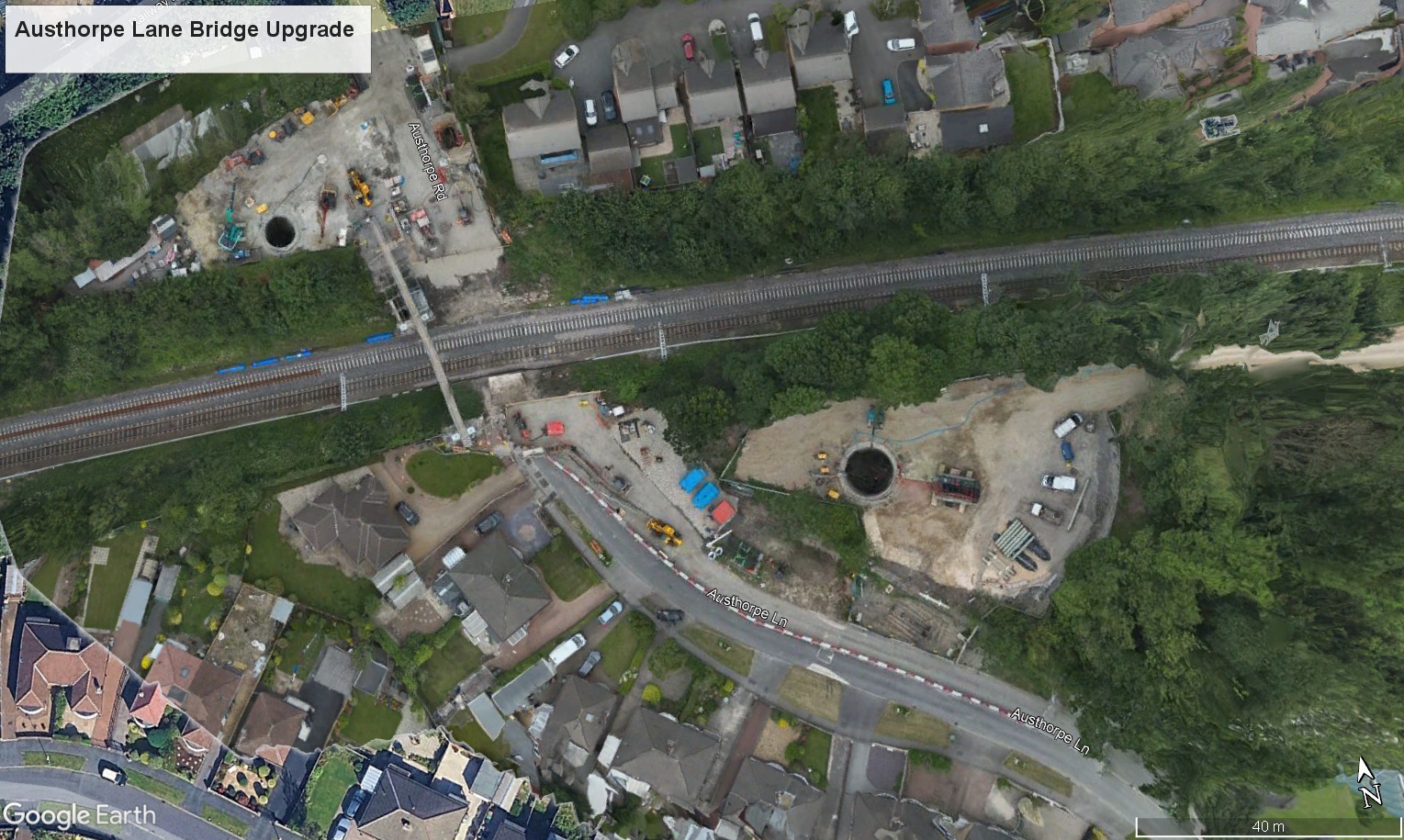
Drag the handle to compare the orthophoto with the DSM. The orthophoto gives a clean plan-view record of the works; the DSM adds surface and formation context for broad visual review.
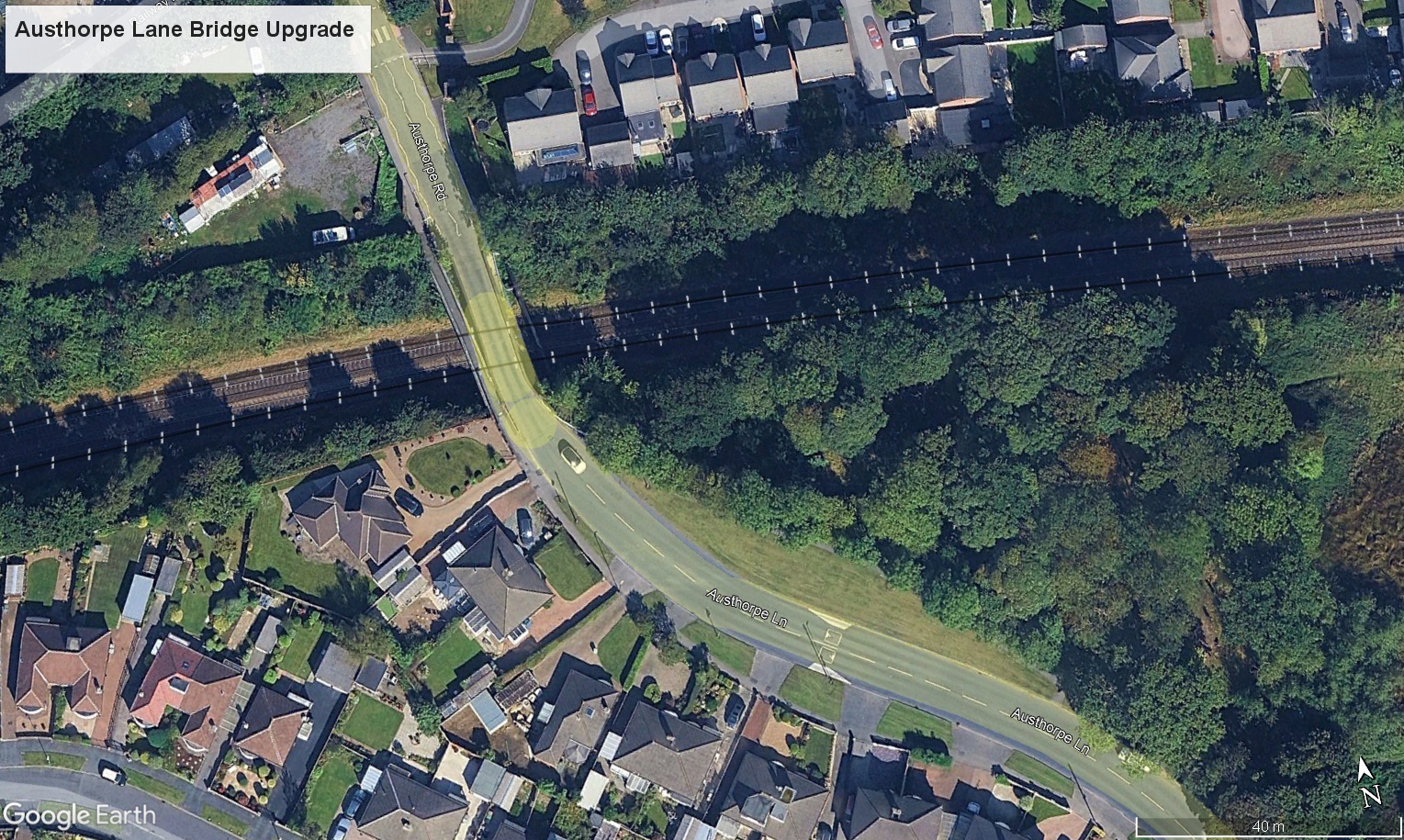
Google Earth Before / After Fader
Use the fade control to compare the previous Google Earth context with the current site overlay. This gives a simple visual way to show change over time and explain the works without requiring the viewer to open mapping software.
Public Project Context
Logos are included as public project/programme context only. This viewer has been independently prepared by Vista Metrics and does not imply appointment by, or partnership with, the organisations shown below.



Downloads
Supporting files from this capture are available below. Keeping them in one place makes the viewer more useful as a continuing progress record.
Before Image
Exported Google Earth context image used in the before/after fader.
Download Before ImageViewer Link
Future monthly captures can be added to this same viewer structure and URL.
View Monthly Tabs